Rieker Smart-MAT · Measurement technology · iPad and laptop
Turning captured environments into measurable 3D models.
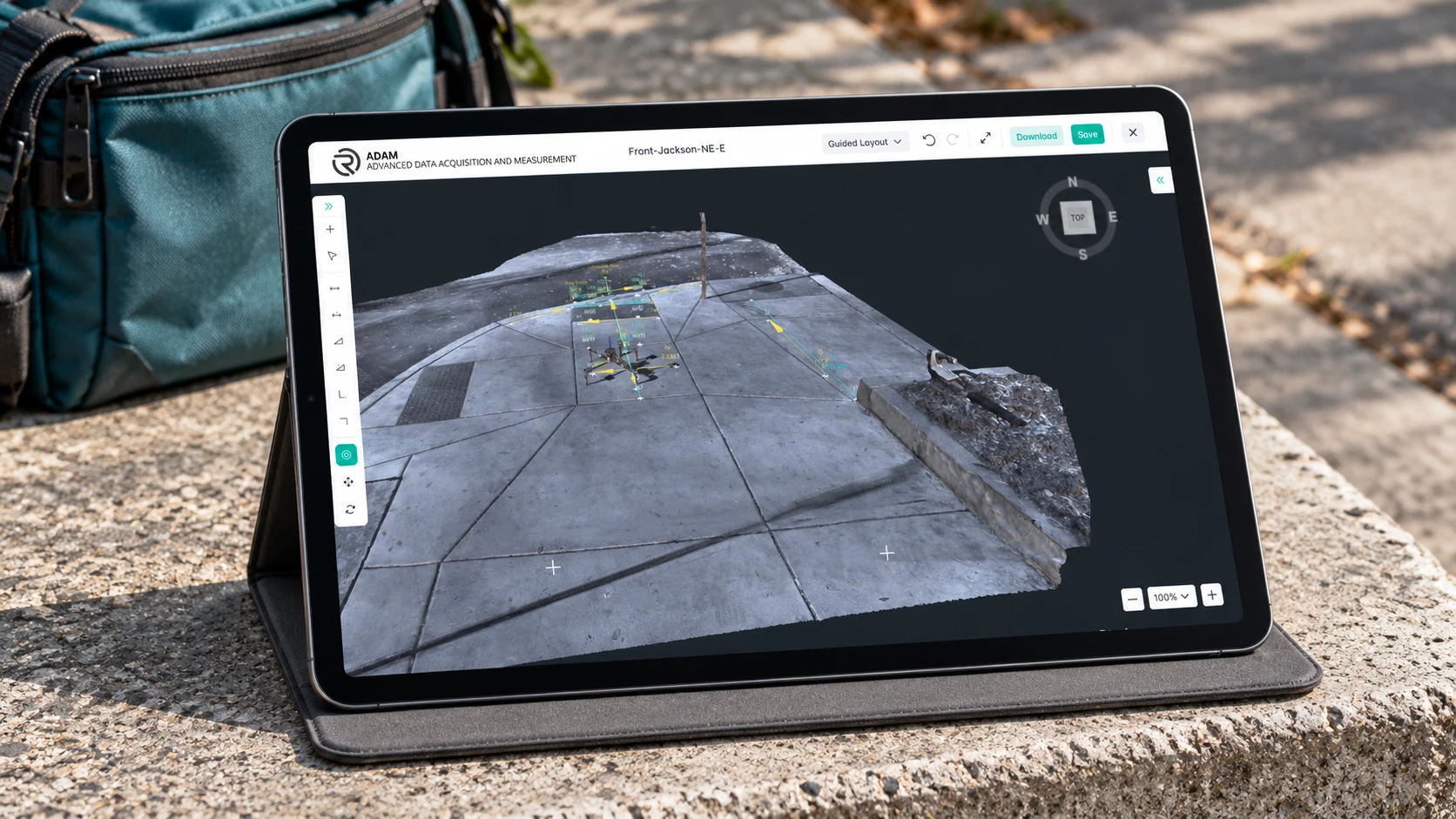
About the project
Smart Mat connects IoT hardware data with a visual measurement workspace. Through 3D photogrammetry, captured site data becomes a digital model that teams can inspect, annotate, and measure.
Want to discuss your project with our team?
Book a callPhysical measurements need context.
A number alone cannot show where it was taken or how it relates to the surrounding environment. Smart Mat brings the captured environment and its measurements into one workspace.
Users can explore a reconstructed site, define reference points, and work with distances, slopes, offsets, and elevations directly on the model.
Technology
- Babylon.js
- Node.js
- MongoDB
- React
- AWS
The challenge
The software needed to make complex spatial data practical to work with. Users had to navigate detailed 3D models, select precise points, configure calculations, and keep track of results without losing their place.
Connecting the hardware capture process to a clear software experience was central to the project.
What we built
We developed the software that connects with the client’s hardware workflow and turns uploaded capture data into an interactive measurement experience.
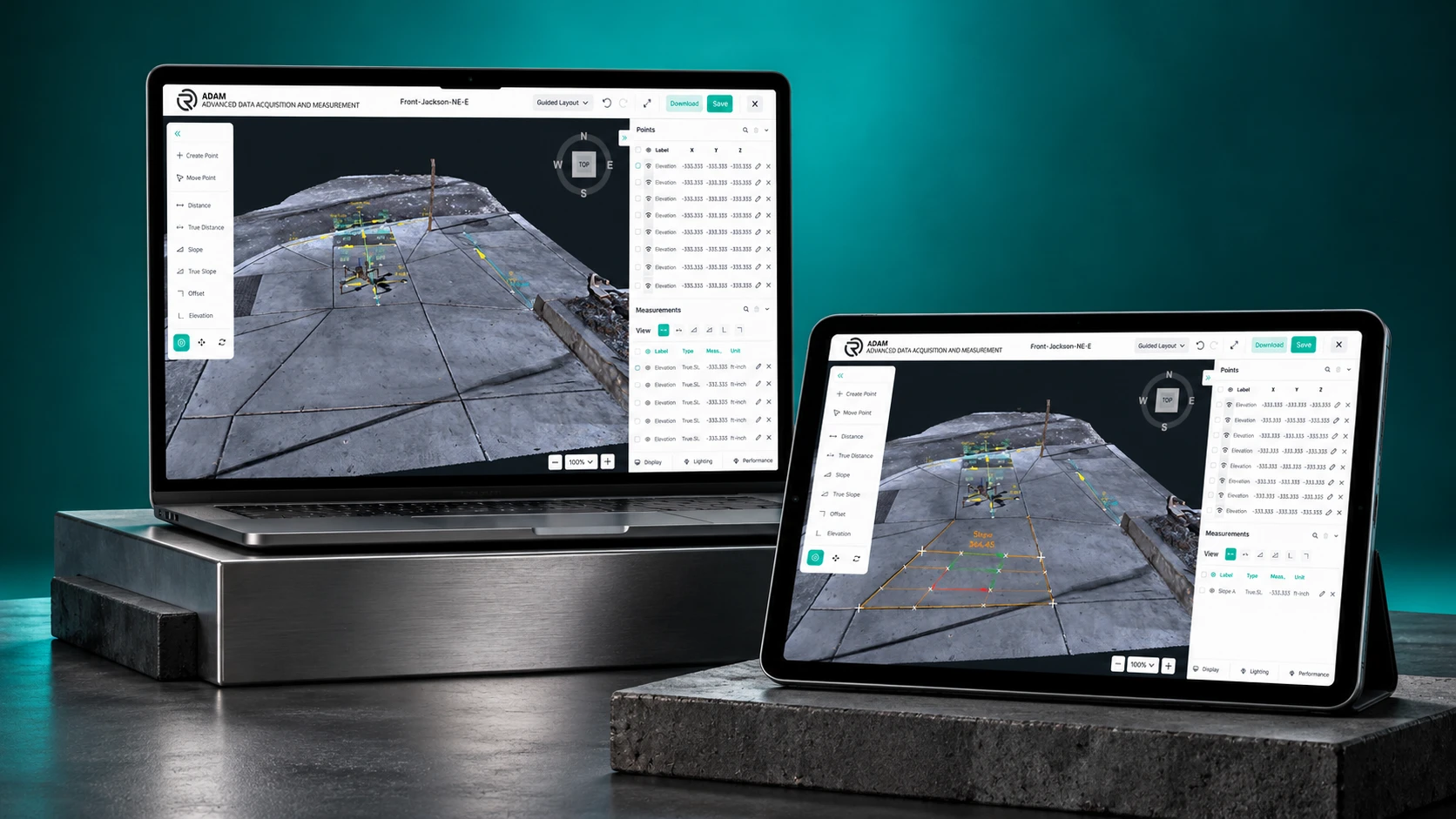
A large 3D viewer sits beside measurement tools and organized data panels, so teams can move between visual inspection and numerical results on the same site.
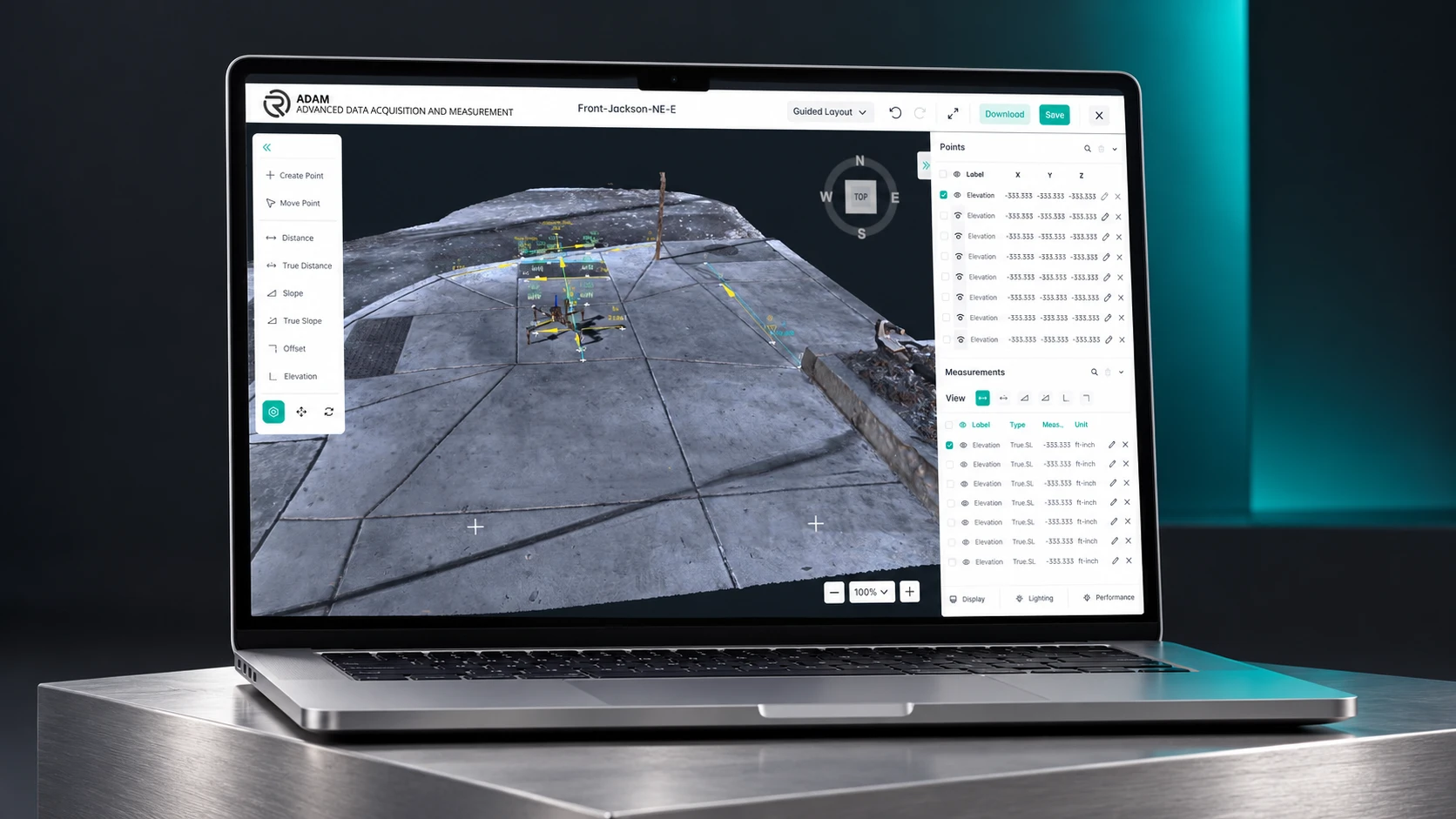
Interactive 3D inspection.
Explore photogrammetry models to understand the captured environment and identify areas for measurement.
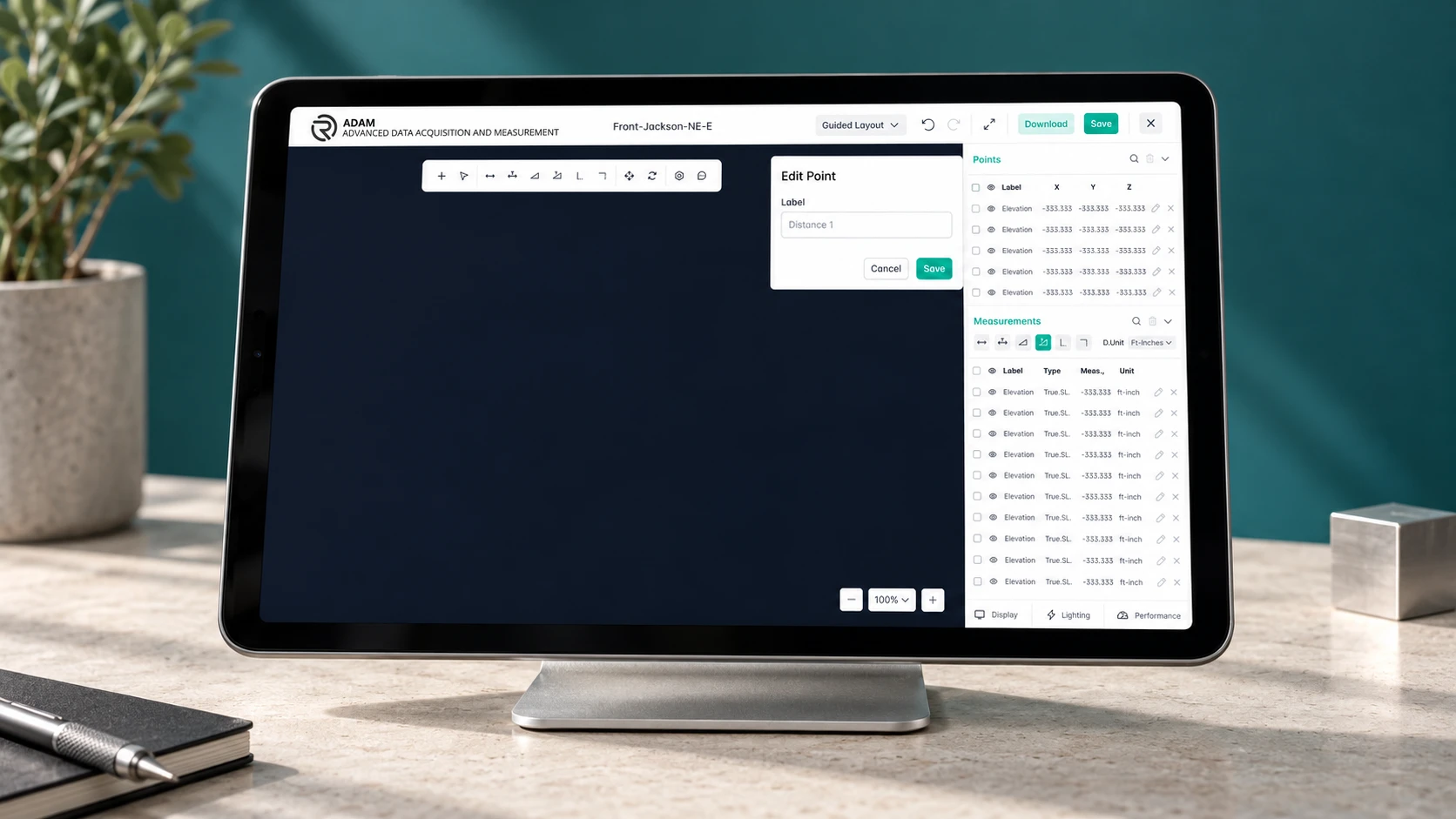
Point creation and editing.
Define, label, and manage reference points with X, Y, and Z coordinates.
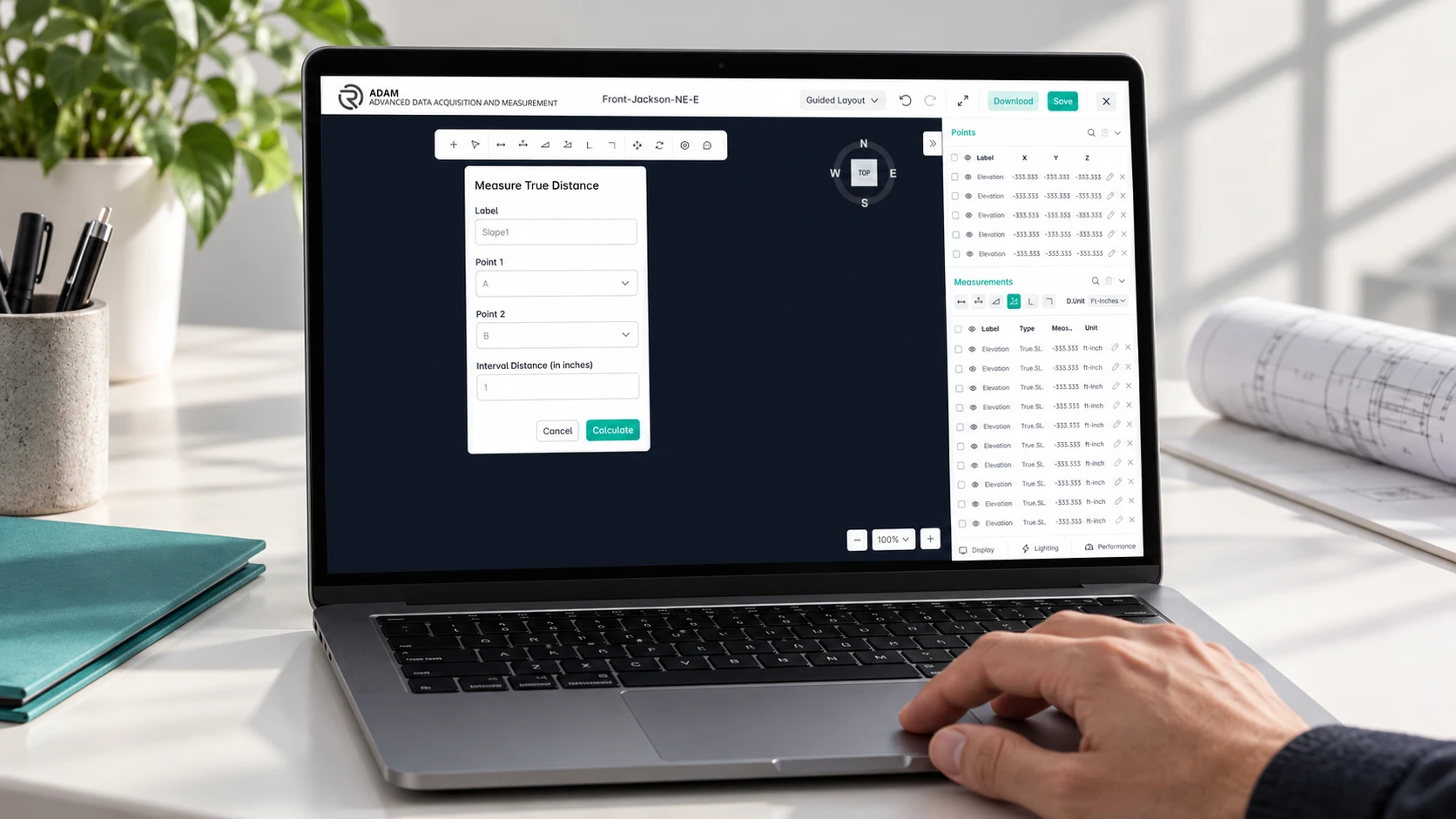
Distance and slope tools.
Work with distance, true distance, slope, true slope, offset, and elevation measurements.
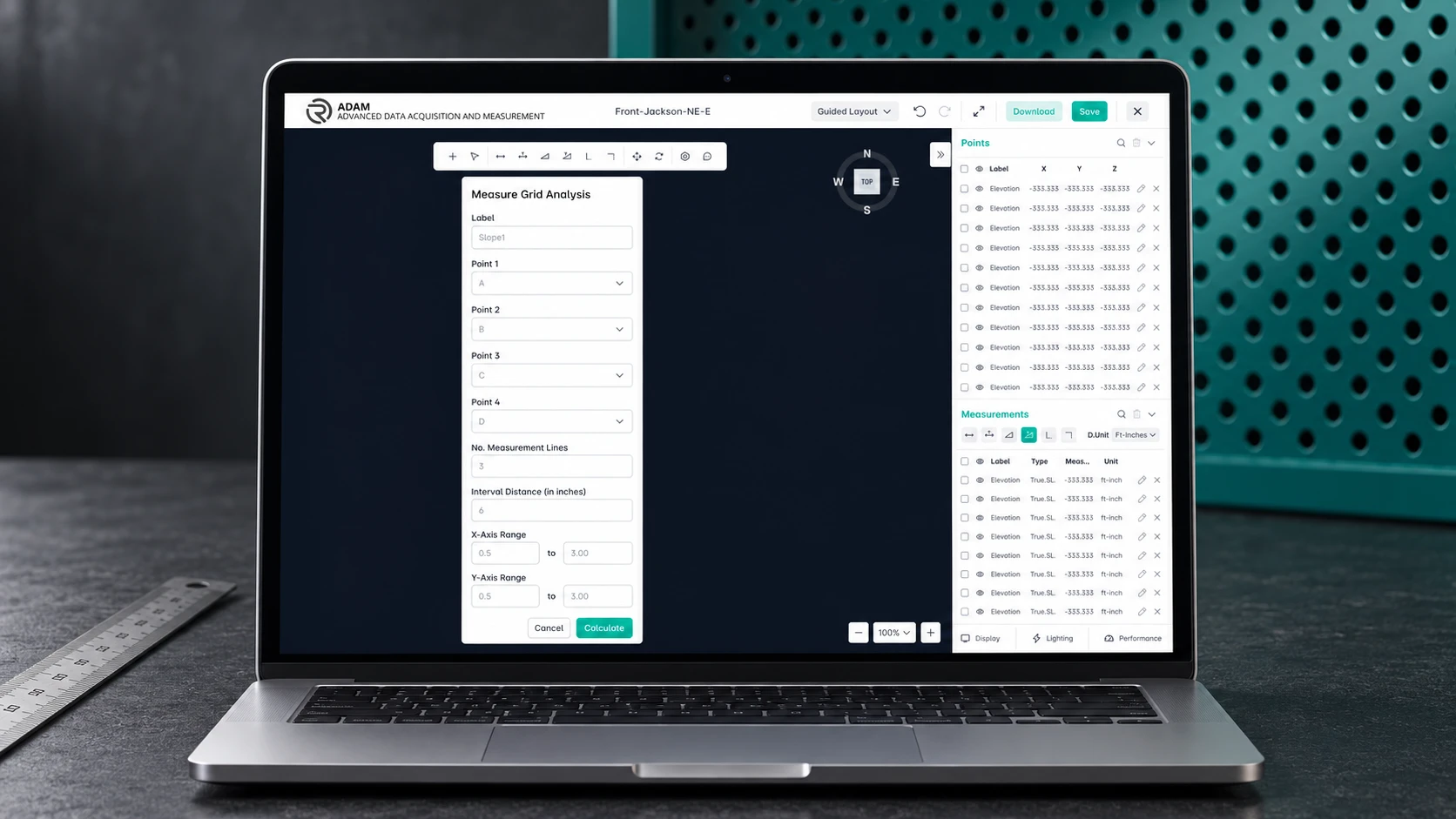
Grid analysis.
Configure measurement points, intervals, and axis ranges to examine a selected area systematically.

Organized measurement data.
Review points and calculated values alongside the model, with visibility controls that help users focus on relevant information.
Save and download.
Preserve work and download outputs for subsequent review.
How we optimised it.
- 01
The model stays at the center. Toolbars give access to measurement actions, and side panels organize points and results.
- 02
Contextual forms guide users through each calculation without taking them out of the workspace.
- 03
Dark canvas areas, white panels and teal controls separate the model from the tools used to inspect it.
Measurement accurate to 0.01 mm, in a connected workflow from hardware capture and 3D visualization to structured, reviewable engineering data.
What it can do.
- Interactive 3D inspection
- Point creation and editing
- Distance and slope tools
- Grid analysis
- Organized measurement data
- Save and download
Every layer, one team.
We led the overall architecture, UI/UX design, development, deployment, and testing of the production platform, bringing together 3D visualization, application development, regulatory workflows, and cloud infrastructure.
- ArchitectureFull-stack platform design
- UI/UXInterface and assessment flows
- WebReact analysis tools
- 3DBabylon.js measurement engine
- BackendNode.js and MongoDB
- CloudAWS deployment and testing
Have a project in mind?
Tell us what you're working on. In a free 30-minute call we'll suggest a clear first step, with no obligation.
Start a project