About the project
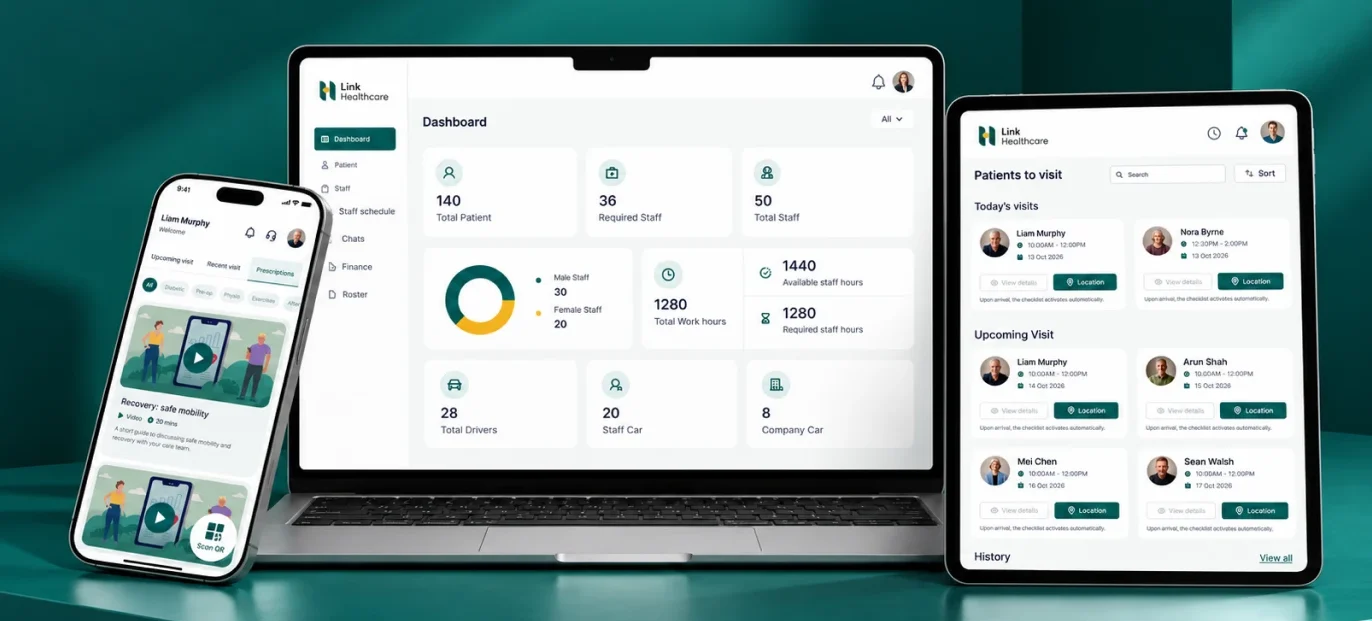
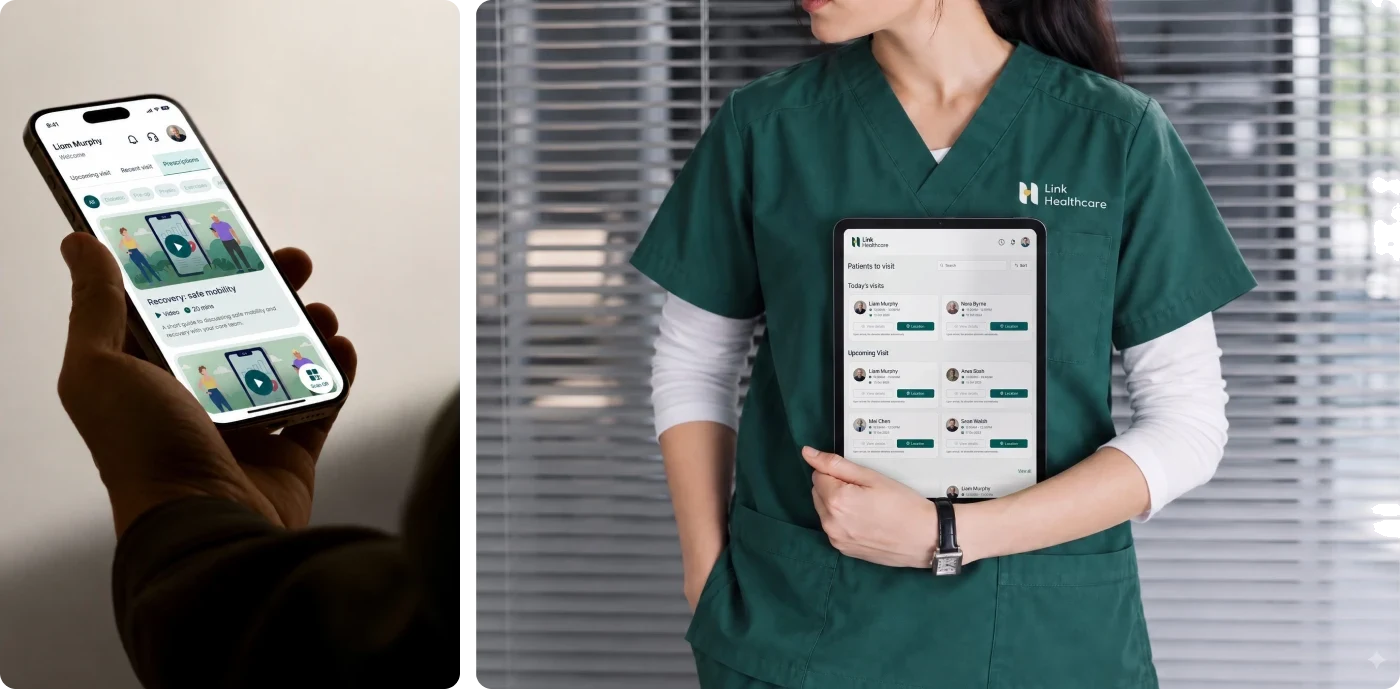
One care record, three tailored apps. An integrated suite for a home care agency: an admin web app for the office, an iPad app for carers and nurses in the field, and a mobile app for patients and their families.
Want to discuss your project with our team?
Book a callHome care, run at scale.
Link Healthcare provides long-term home care for elderly people who can no longer manage daily activities on their own. Home care keeps them in familiar surroundings and avoids the high cost of extended hospital stays.
Running it at scale is an operational puzzle. Every day the agency has to match the right carer to the right patient at the right time, make sure the agreed care is actually delivered, and keep families informed.
Three groups, one office in the middle.
Home care agencies manage three groups of people with very different needs, and the agency office is the point where they meet.
- Administrators plan coverage across dozens of patients and staff, build care plans, manage recurring visits, generate rosters and handle payments.
- Carers need to know where they're going next, prove they arrived, and record the care they gave, often while standing in a patient's home.
- Patients and families need to know who is coming and when, see what care was delivered, and have a way to raise concerns.
The product had to connect all three without becoming one bloated app that served nobody well.
One record, three experiences.
Every app is built around the same objects: the patient, the care plan and the visit. Each app shows that record from its user's point of view, on the device that fits their work.
The patient record in the admin app uses the same tabs (Details, Care plan, Schedule, Discussion, History) that carers see on a visit, so the office and the field talk about care in the same words.
- Admin
- Device
- Desktop · 1440
- Navigation
- Persistent sidebar and top bar
- Core job
- Plan and oversee
- Staff
- Device
- iPad, portrait · 1024
- Navigation
- Home-first, no global menu
- Core job
- Deliver and record
- Patient
- Device
- Phone · 375
- Navigation
- Bottom tabs and header
- Core job
- Follow along and give feedback

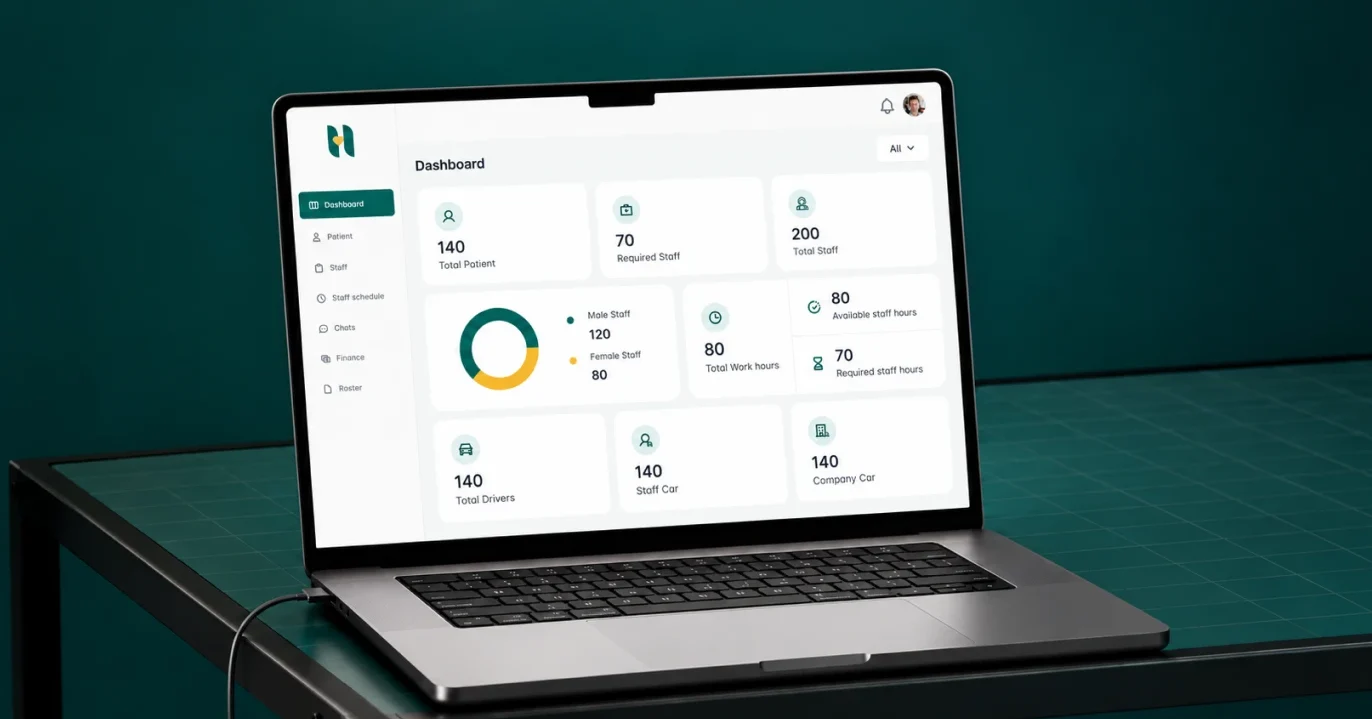
A dashboard built around one question: can we cover today's care?
The admin dashboard deliberately avoids analytics-style charts and trend lines. Its nine cards answer a capacity question:
- total patients against required and total staff,
- available against required staff hours, side by side,
- the gender split of the workforce,
- transport capacity: drivers, staff cars and company cars.
Transport gets its own row because, in home care, a carer without a car is a missed visit.
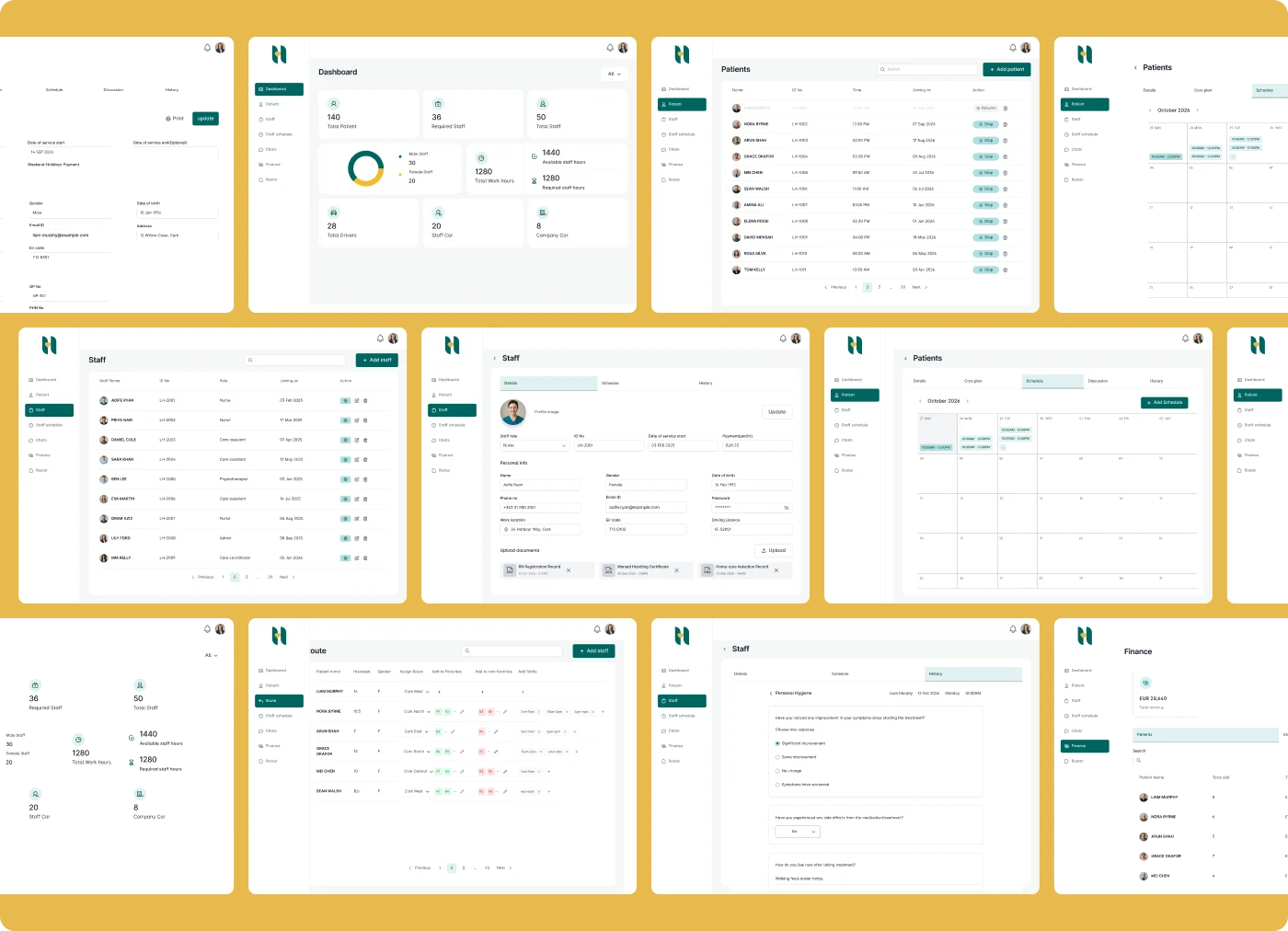
You don't schedule a slot, you schedule care.
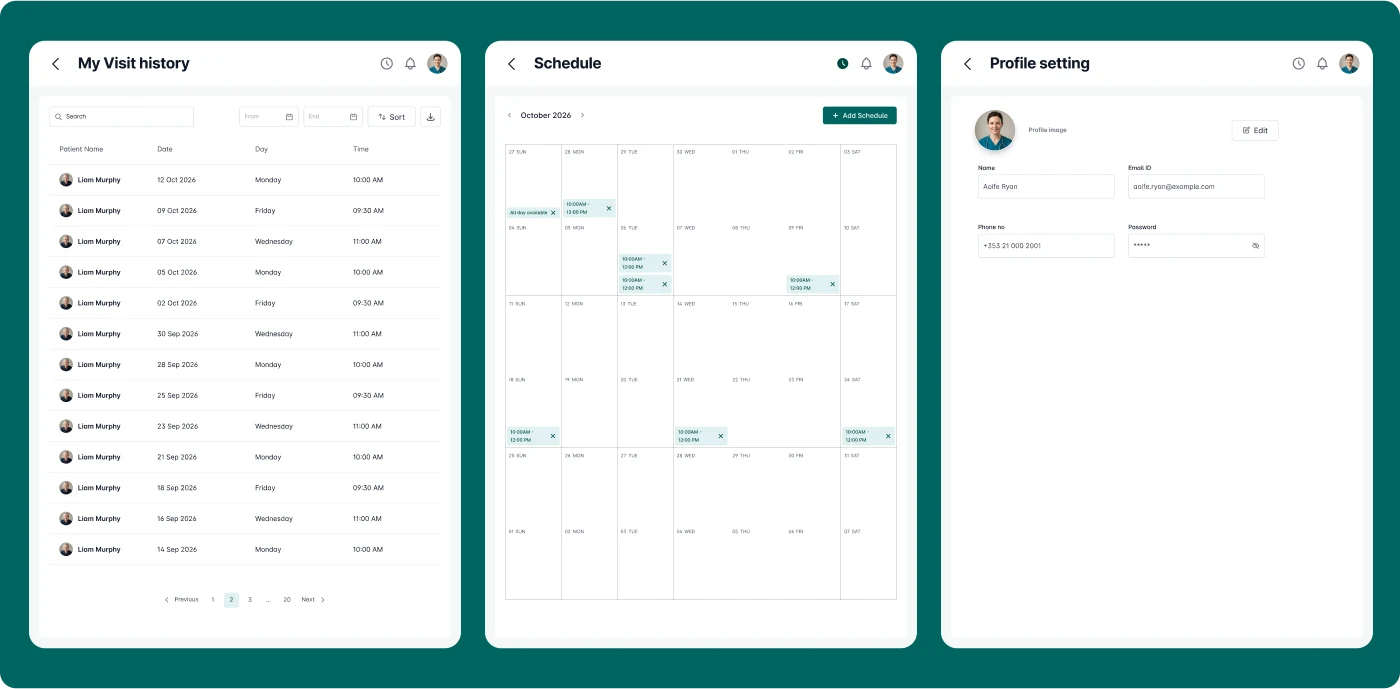
Calendar entries are care plans, not empty time blocks. Each one reads like “Care Plan 01: Personal Hygiene, 10:30–12:30”. Long-term care is repetitive by nature, so scheduling supports:
- recurring rules and custom recurrence,
- editing a whole series,
- duplicating care plans to a single date or a date range.
Staff declare their own availability from the iPad, and admins generate the roster rather than building it by hand. Import and export with When I Work is supported.
Care plans as structured data, not free text.
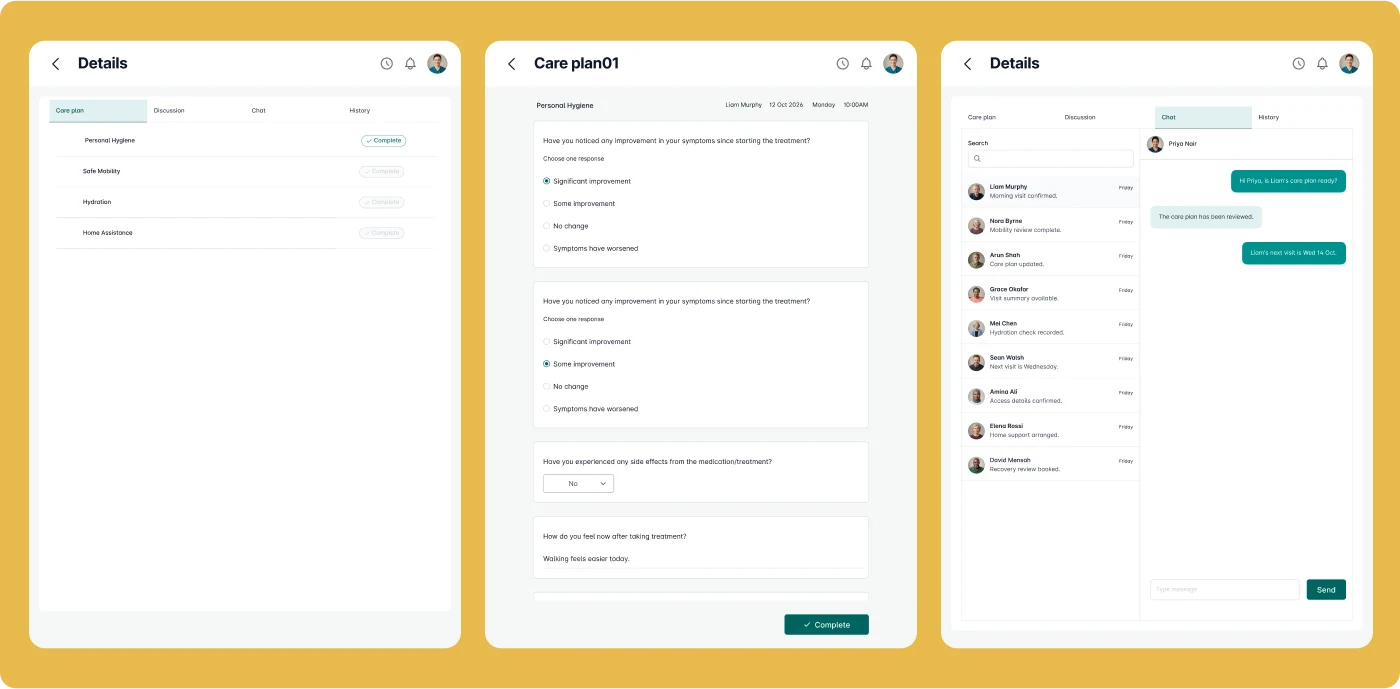
Admins build each care plan from typed questions: multiple choice, yes/no, text, time, date and number. On the iPad, carers answer outcome scales such as “Significant improvement” through to “Symptoms have worsened”.
Every visit therefore produces comparable data instead of a loose note.
Care is recorded where it happens.
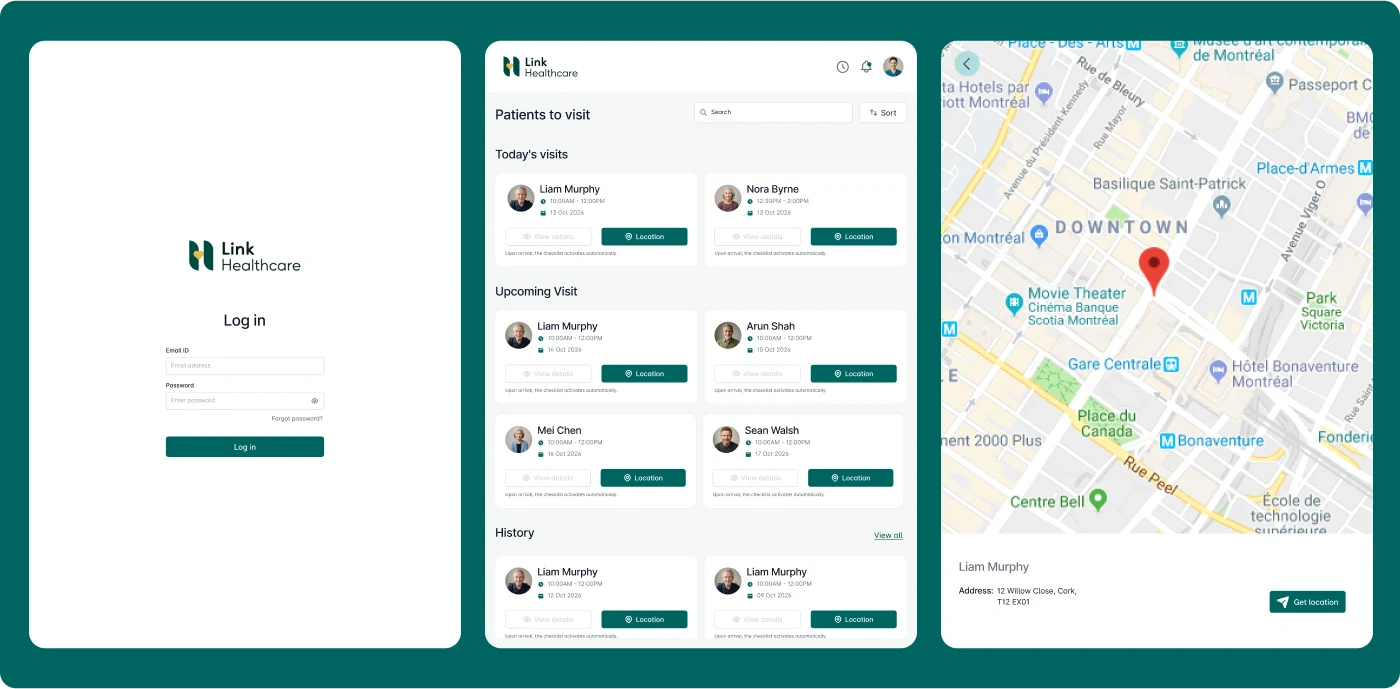
The carer's home screen shows the day's visits, and Location is the primary action on each card. “View details” stays disabled until arrival, and every card states that the checklist activates when the carer arrives.
The visit follows a clear sequence, Check-in → Care plan checklist → Check-out, with the check-in time recorded. The checklist becomes proof of visit as well as a care record.
Two kinds of conversation.
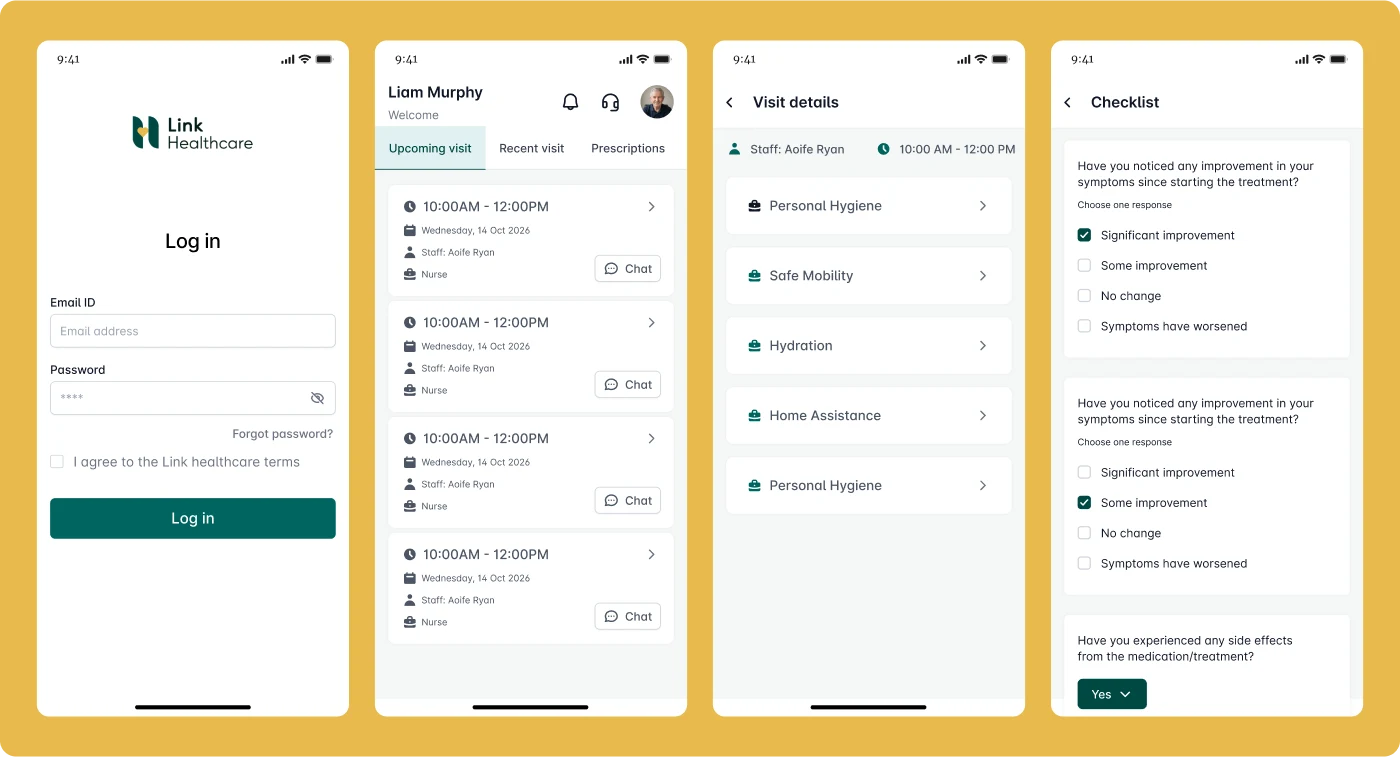
Each patient record and visit has a Discussion tab: a persistent care note attached to the record. It is kept separate from Chat, which handles day-to-day operational messages.
Clinically relevant notes don't get lost in casual conversation.
Feedback in context, built for two-carer visits.
Patients rate a visit on the visit itself, not in a separate survey. Some personal-care visits need two carers, so the design includes:
- a co-staff field on the visit,
- separate “One staff” and “Both staff” rating flows,
- feedback per carer or for both.
Ratings feed into the admin Feedback module.
Localised for Ireland.
Patient records capture Eircode, GP and PHN details, and staff routes are built around real service areas. The forms reflect how Irish home care actually runs, rather than a generic template.
Structure first, polish where it helps scanning.
The low-fidelity layouts locked in structure early: the dashboard card grid, the tabbed patient record, the carer's two-column visit grid and the single-column checklist. The final UI kept those structures almost unchanged, and added colour, imagery and component polish only where they made scanning faster:
- the solid teal Location button is the first thing a carer's eye lands on,
- the patient's visit time is the largest text on each card,
- “Rate Now” uses a soft tonal style, so it reads as an invitation rather than a demand.
One teal kit across three apps.
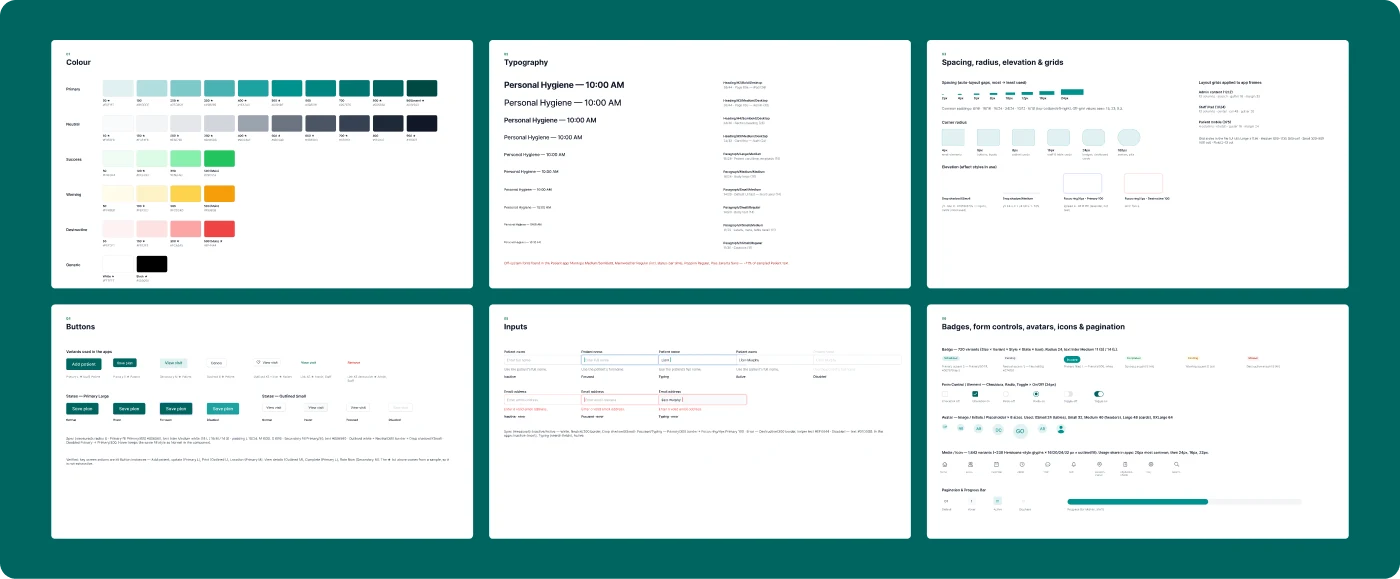
The suite is built on a UI kit themed in Link Healthcare teal, with a thin layer of project-specific components on top.
- Colour: primary teal #006560 for actions and active states, a pale tint #E0F1F2 for selected and secondary surfaces, a neutral grey ramp, and success, warning and destructive scales.
- Type: Inter throughout. Medium for UI text, Regular for body.
- Shared core: Icon, Button, Avatar, Badge, Input and Form Control are used in all three apps. Navigation, headers and cards adapt per platform.
What's next for patients.
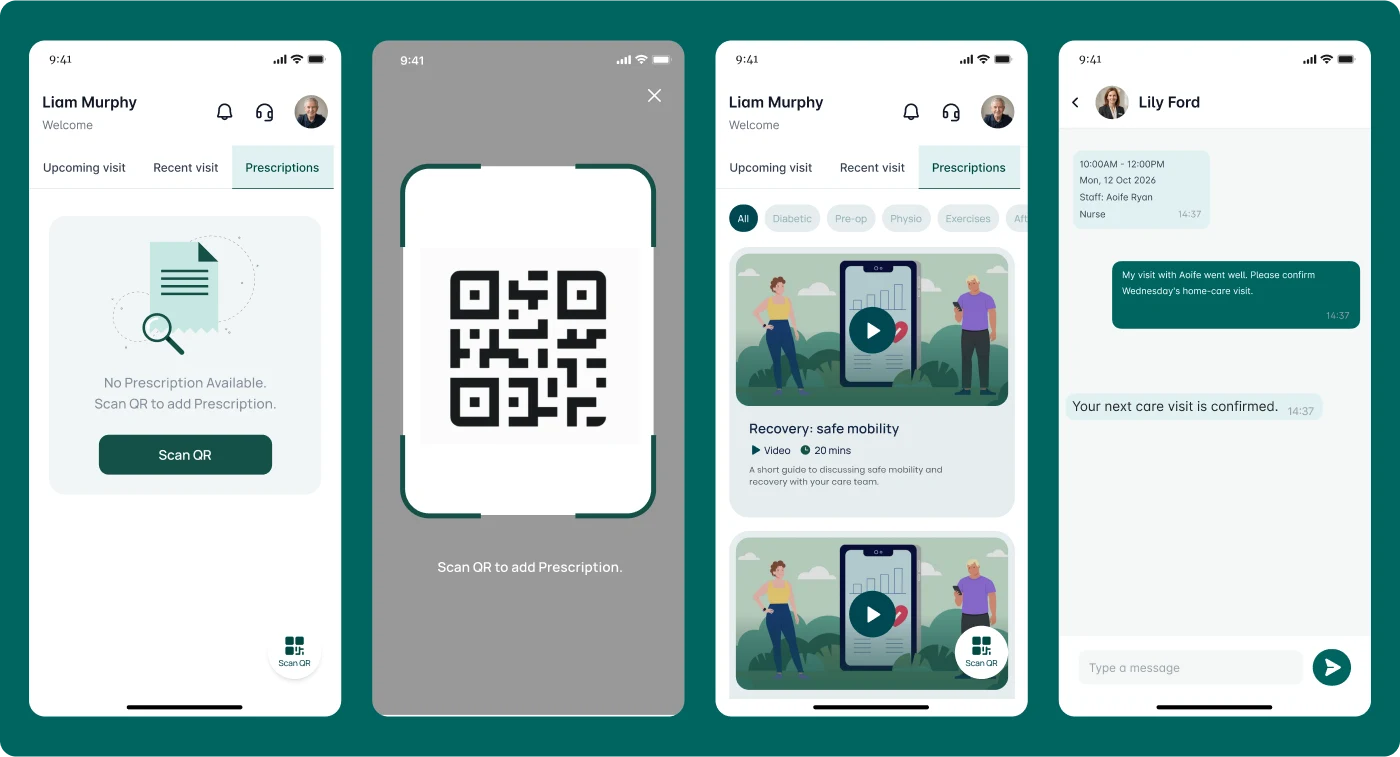
A v2 exploration of the patient app adds My Prescriptions, QR scanning with a printable A4 QR poster, and care videos such as post-surgery exercises. The bottom navigation is reorganised around Visits, Prescriptions, Scan and Profile.
This work isn't final. It's shown here as a direction.
One connected way to run home care.
Admins plan coverage and recurring care in one place. Carers record verified, structured visits on site. Patients and families can see who is coming, what care was delivered, and say how it went.
What we'd push further next time.
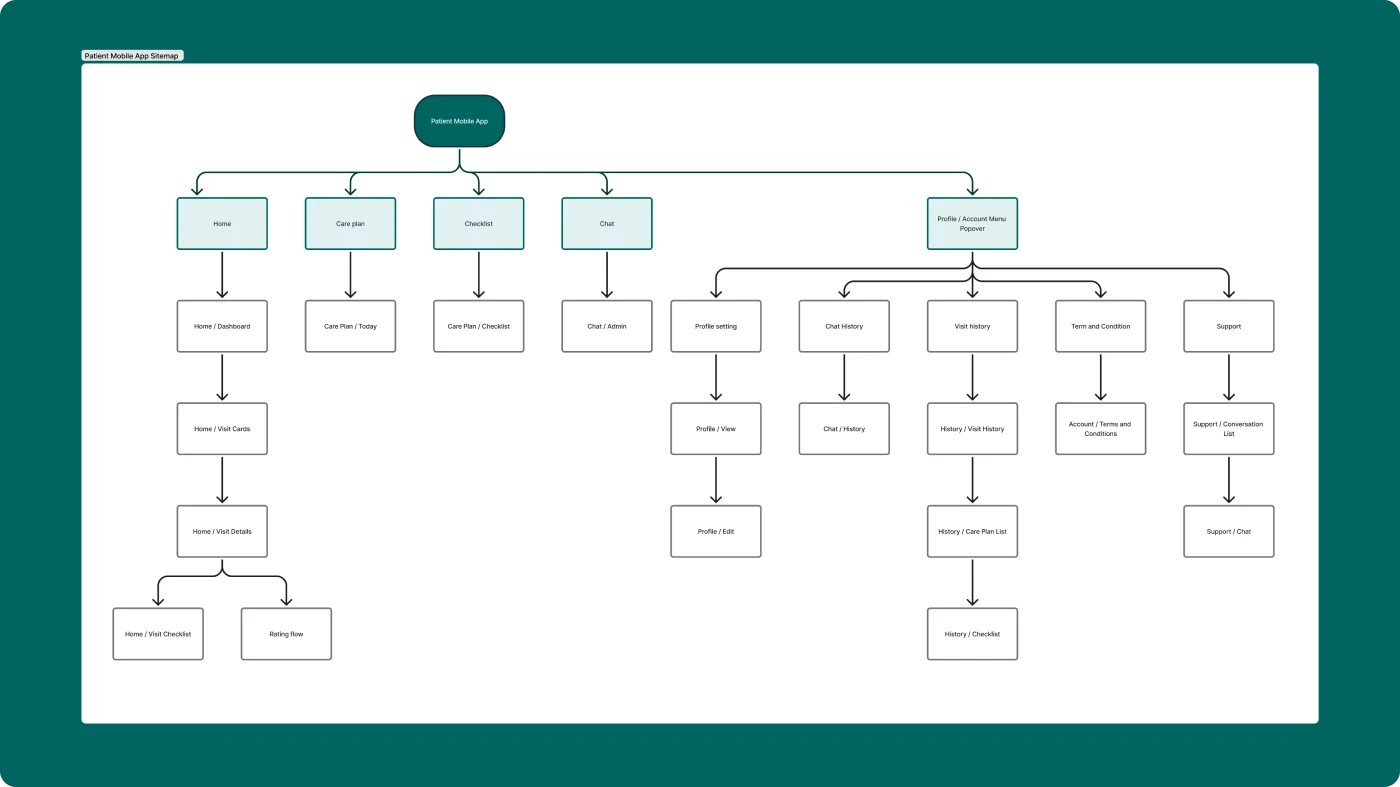
Designing three apps around one record kept the product coherent. Revisiting it also showed where we'd go further:
- give patients a way to message their carer directly,
- design edge cases, such as a failed check-in, as carefully as the happy path,
- give Feedback and staff Availability clear navigation entry points,
- formalise cards and spacing as components and tokens from day one.
How we optimised it.
- 01
Constraint-based planning produces practical weekly rosters automatically.
- 02
Reduces the complexity of allocating healthcare staff to shifts by hand.
- 03
GDPR-compliant infrastructure, with a progressive web app for staff.
2,000+ hours of healthcare work managed every week, with apps for staff and patients.
Every layer, one team.
We led the system architecture and development across the web, mobile, backend, scheduling engine, and cloud deployment layers.
- UI/UXUser experience and interface design
- ArchitectureSystem design
- WebManagement tools in React
- MobileStaff and patient apps
- BackendNode.js and MongoDB
- SchedulingConstraint-based rostering engine
- CloudAWS, GDPR-oriented
Have a project in mind?
Tell us what you're working on. In a free 30-minute call we'll suggest a clear first step, with no obligation.
Start a project