iPad application · Connected hardware · Field data collection
Field data collection, connected from setup to upload.

About the project
An iPad application that brings sensor pairing, guided validation, live readings, and survey session management into one workspace.
Want to discuss your project with our team?
Book a callRoadway surveying, together on an iPad.
Rieker CARS connects to a Rieker GPS-PRO sensor and shows connection status, GPS signal strength, battery level, location, inclination and speed beside the controls used during a collection session.
From selecting a job to uploading completed sessions, setup, capture and session management stay in one consistent workflow.
Technology
- React Native
- Bluetooth Low Energy
- Real-time Data Streaming
Making technical steps easier to follow
Operators need to connect the right sensor, check its readiness, validate its readings, and keep observations attached to the session.
Rieker CARS presents these steps through dedicated screens, visible status messages, and guided instructions.
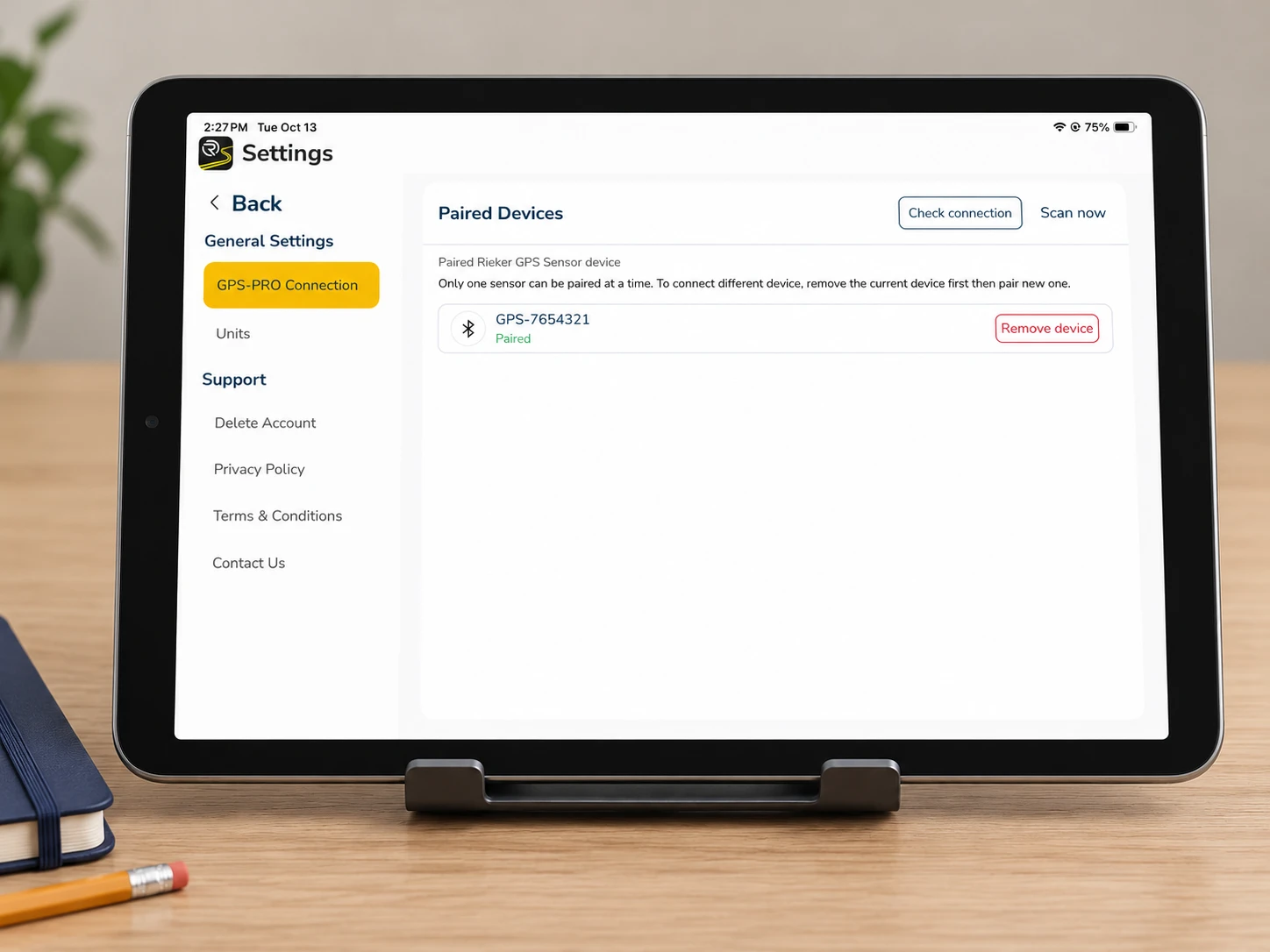
Connect and prepare.
The pairing screen shows the connected GPS-PRO device and has controls to scan, check the connection, or remove the current device.
Imperial and metric unit options let operators choose the measurement format for their work.

Validate with visual guidance.
A step-by-step flow pairs written instructions with vehicle and sensor illustrations.
Operators record left and right readings using the validation wedge, then review the recorded angles and the latest validation timestamp.
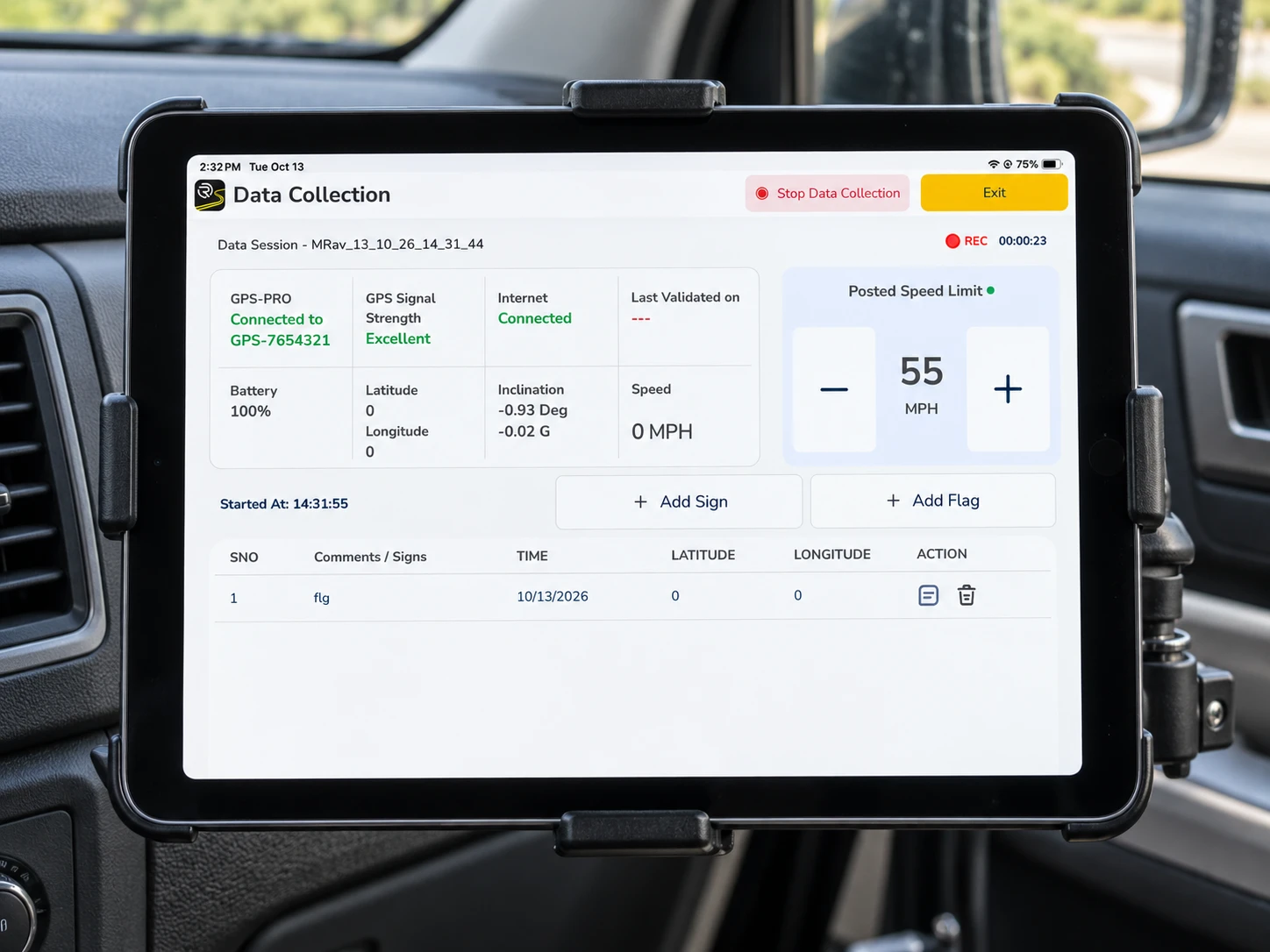
Keep collection status in view.
Sensor connectivity, GPS quality, internet status, battery, location, inclination and speed sit in one view, with a recording indicator and elapsed timer.
Large controls adjust the posted speed limit and add signs or flags, and an event table keeps each observation with its time and coordinates.
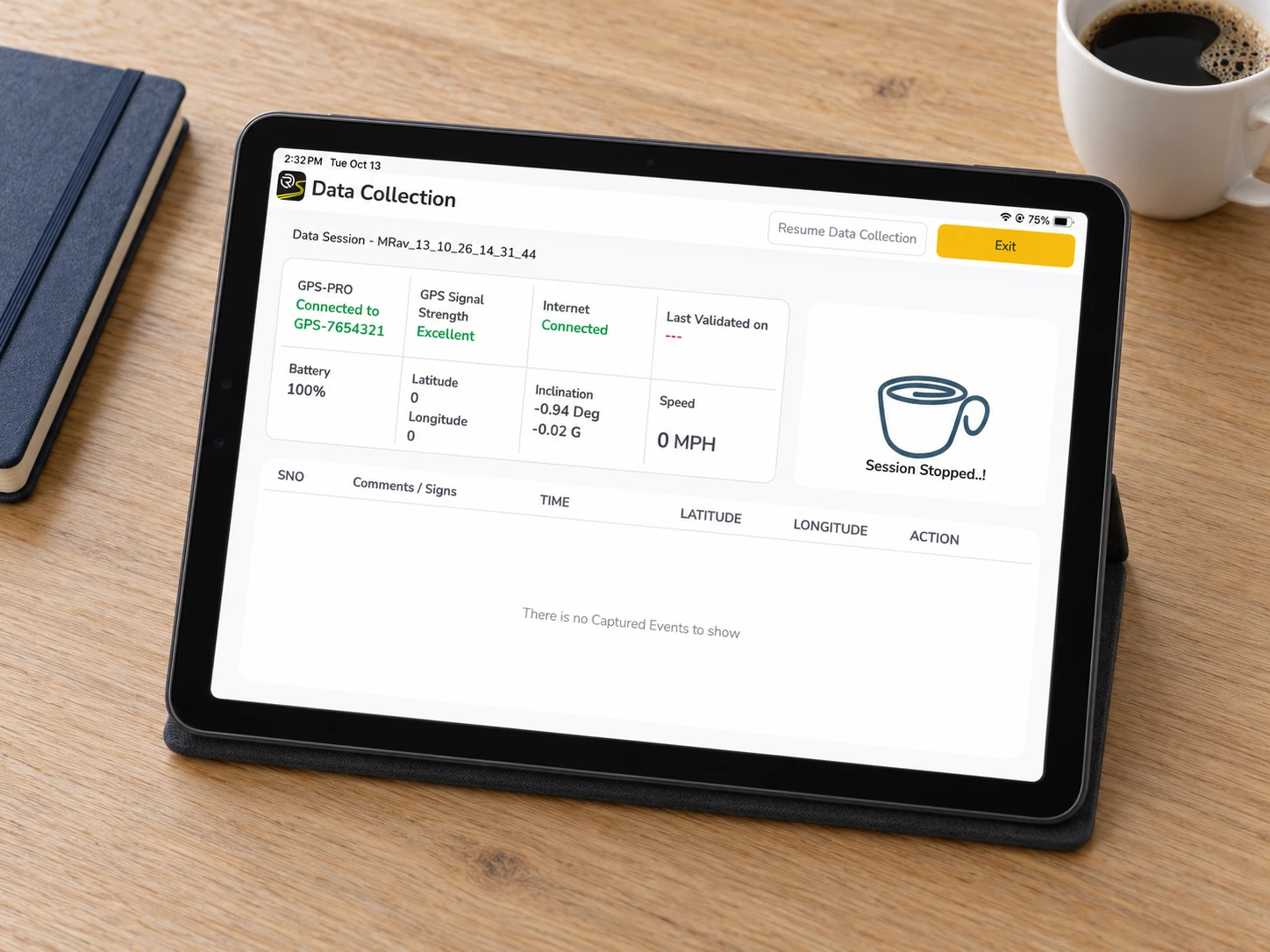
Manage the session lifecycle.
Operators can stop and resume collection without losing sight of the session.
The dashboard separates completed and uploaded sessions, with job selection, search, individual uploads, and an Upload All action.
How we optimised it.
- 01
Each step has its own screen, with visible status messages and guided instructions.
- 02
Written validation steps sit beside vehicle and sensor illustrations.
- 03
A landscape layout gives readings, controls and event records their own space.
Hardware preparation and field capture in a single tablet experience, with sensor status, observations and session records connected throughout.
What it can do.
- Sensor pairing with the GPS-PRO
- Guided validation with the wedge
- Live GPS, inclination and speed readings
- Posted speed limit control
- Add signs and flags during a session
- Stop and resume collection
- Job selection and session search
- Individual uploads and Upload All
Every layer, one team.
We developed the mobile application and integration layer connecting the roadway measurement hardware with the digital reporting workflow.
- UI/UXUser experience and interface design
- iPad appReact Native
- HardwareBLE link to the GPS-PRO
- Real-timeLive measurement streaming
- SessionsJob selection and upload
Have a project in mind?
Tell us what you're working on. In a free 30-minute call we'll suggest a clear first step, with no obligation.
Start a project